Changelog v1.24 - January 5, 2026
Summary
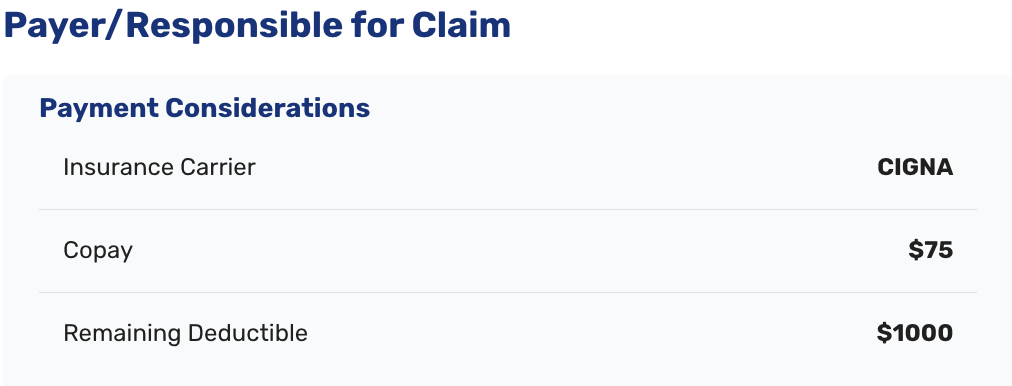
To help inform on-site payment collection, a new display of available patient insurance deductible information is provided on eligibility check.
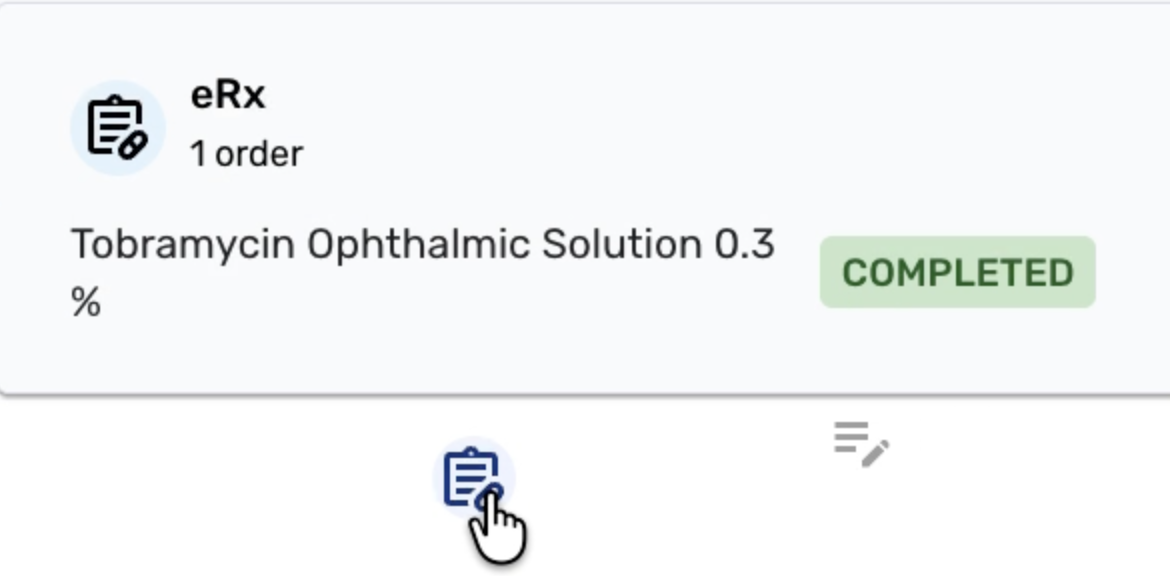
Also, the tracking board now displays eRX status of encounters for quick verification of patient prescription information.
Revenue Cycle Management (RCM) and Patient Billing
This section highlights improvements to the insurance verification and payment collection workflows. Key updates include more detailed eligibility data - specifically deductible progress - and automated search functionality to speed up the benefit verification process.
Eligibility and Insurance Verification
- Updated the eligibility check to include deductible progress, providing more granular financial data (#5129 (opens in a new tab)).
- Automated the search for insurance type benefits upon selecting the eligibility type within the EHR (#4075 (opens in a new tab)).
- Added a toast error notification to appear immediately after an eligibility check is run from the visit details (#5641 (opens in a new tab)).
- Removed the 99201 code from E&M Code Definitions to align with current billing standards (#3163 (opens in a new tab)).
Payment Screen Enhancements
- Updated the copy on the payment screen specifically for Occupational Medicine workflows (#5124 (opens in a new tab)).
- Added descriptive copy to the Credit Card entry screen for better user guidance (#5103 (opens in a new tab)).
Clinical Documentation and Lab Management
These updates focus on enhancing the richness of clinical records and medications tracking. Significant additions include a new Forms section in the Progress Note and improved historical visibility for medications and labs.
Progress Note and Medication Tracking
- Added a Forms section to the Progress Note to house relevant documentation (#5192 (opens in a new tab)).
- Ensured medications in Partly administered status are correctly displayed in the Medication history (#3448 (opens in a new tab)).
- Fixed the MAR table to include the missing Given time for medications in Partly Administered status (#3069 (opens in a new tab)).
- Reset the logic for the high temperature vital alert to ensure clinical accuracy (#5364 (opens in a new tab)).
Lab Orders and Clinical Notes
- Added clinical information notes to External Lab orders for better diagnostic context (#5268 (opens in a new tab)).
- Enabled visibility of Lab Orders within the Past Visits view (#2500 (opens in a new tab)).
- Implemented prototype support for rendered markup in text fields to allow for better formatted clinical text (#5619 (opens in a new tab)).
Provider Workflow
This area concentrates on improving the provider experience by providing efficient access of needed patient information. Major features include standardized PDF outputs, anchored navigation.
Interface and Usability
- Anchored the Top Navigation Bar on the Provider and Intake views to keep key tools accessible while scrolling (#3230 (opens in a new tab)).
- Added a dedicated Visit Details PDF button to the visit details screen (#4511 (opens in a new tab)).
- Standardized the date format to mm/dd/yyyy in the Visit Details PDF (#5558 (opens in a new tab)).
- Added a new icon to the Tracking Board to clearly identify eRX orders (#3427 (opens in a new tab)).
Reporting
More granular time-range selections for internal reports to provide better business insights.
Reporting and Metrics
- Introduced more flexibility in time range selections across various reports (#4918 (opens in a new tab)).
- Enabled custom date ranges for the incomplete encounter report (#5072 (opens in a new tab)).
- Updated the Daily Payments Report to include hours and minutes in the timestamp (#4663 (opens in a new tab)).
- Refined Length of Stay (LOS) stats by removing awaiting approval waiting time from the calculations (#4687 (opens in a new tab)).
Patient Registration and Administrative Configuration
Registration improvements aim to reduce friction for both patients and staff. Key changes include making non-essential patient fields optional and adding categorical selection screens for check-in visits.
Registration and Paperwork Flow
- Configured the system to automatically redirect to complete paperwork after the consent screen is submitted (#5676 (opens in a new tab)).
- Added a Select Visit Category screen to the Check-in visit flow (#5497 (opens in a new tab)).
- Updated the Patient Information Screen to make fields within the PCP section optional (#3963 (opens in a new tab)).