Changelog v1.31 - April 9, 2026
Summary
This release delivers substantial improvements across three major areas: for RCM, a new fee schedule and payment management system for billing teams, for Providers, a series of AI charting enhancements, and self-service configuration tools for in-house lab orders, in-house medications, and global templates. The Tracking Board also received a significant visual refresh.
Administration and Operations
Clinical Catalog Self-Service
-
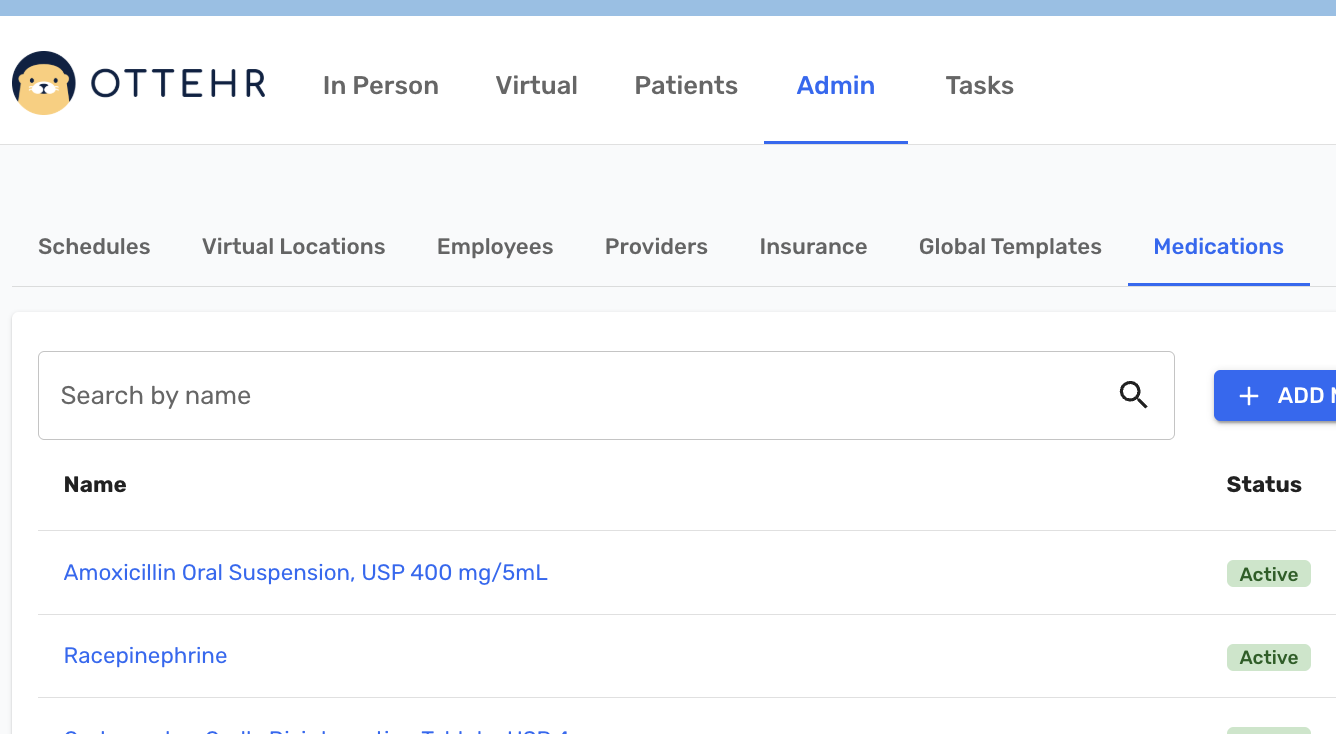
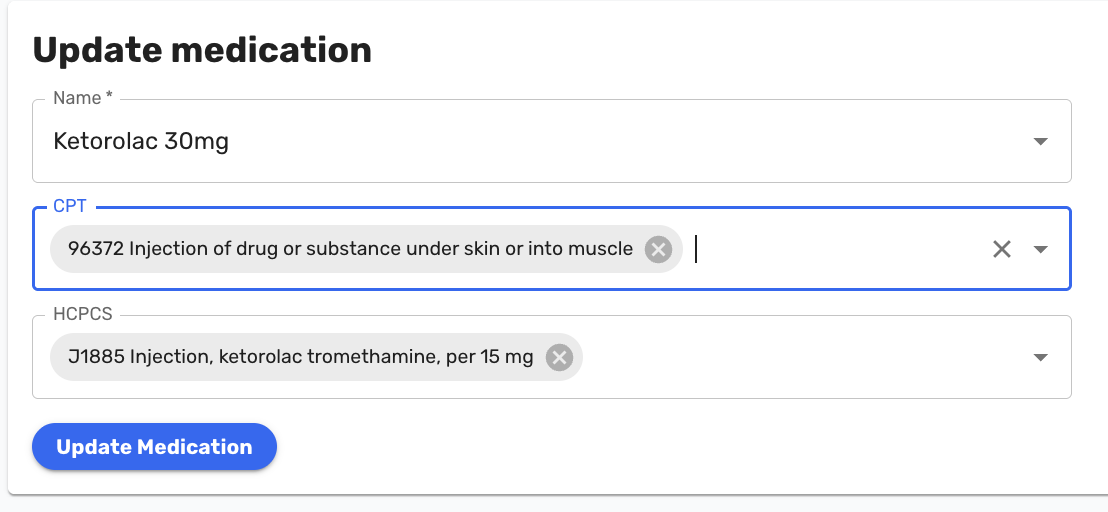
Introduced self-service administration of the in-house medications list in the Admin panel. Authorized users can now add, update, and deactivate medications including NDC codes and associated CPT/HCPCS codes (#6520 (opens in a new tab)).
-
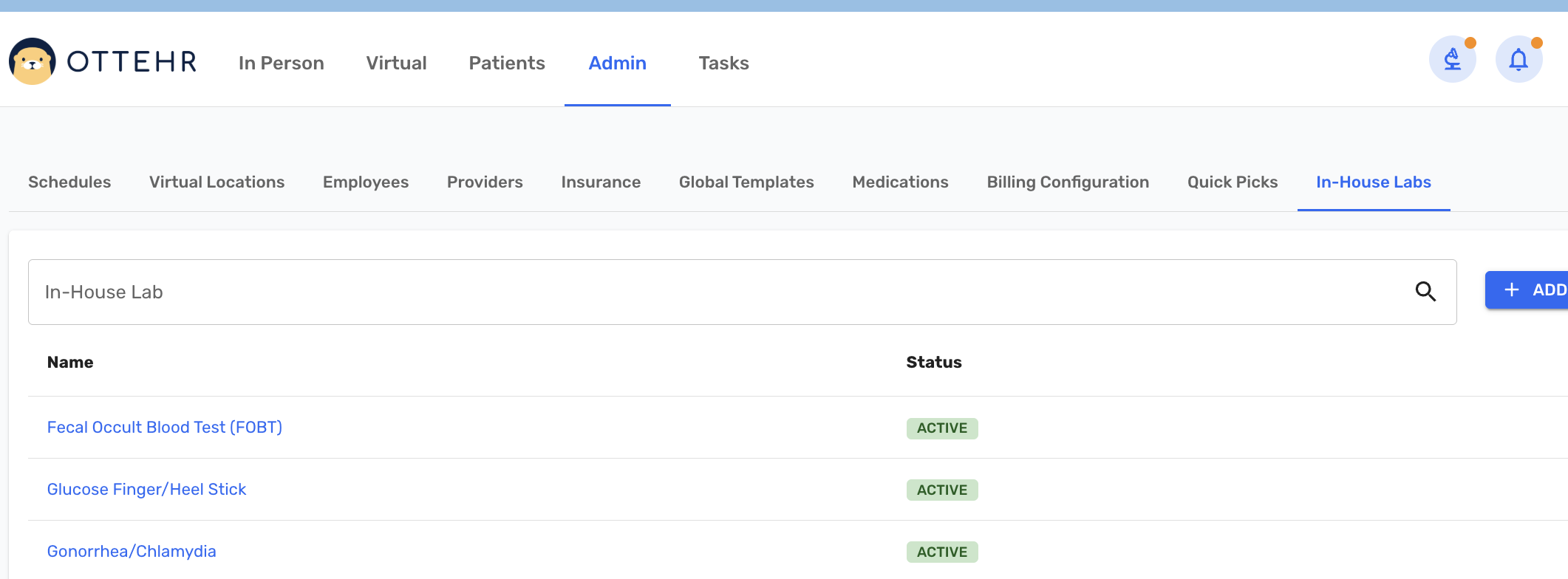
Introduced self-service administration of in-house lab order configurations in the Admin panel. Authorized users can now create, edit, and manage in-house lab order definitions including CPT codes, result types, reference ranges, and normal/abnormal thresholds without requiring a code deployment (#6600 (opens in a new tab)).
Global Templates
-
Authorized users can now create, rename, and delete organizational global templates directly from the Admin panel, with support for pre-populating CPT codes, E&M codes, MOI, and condition-related data (#6566 (opens in a new tab)).
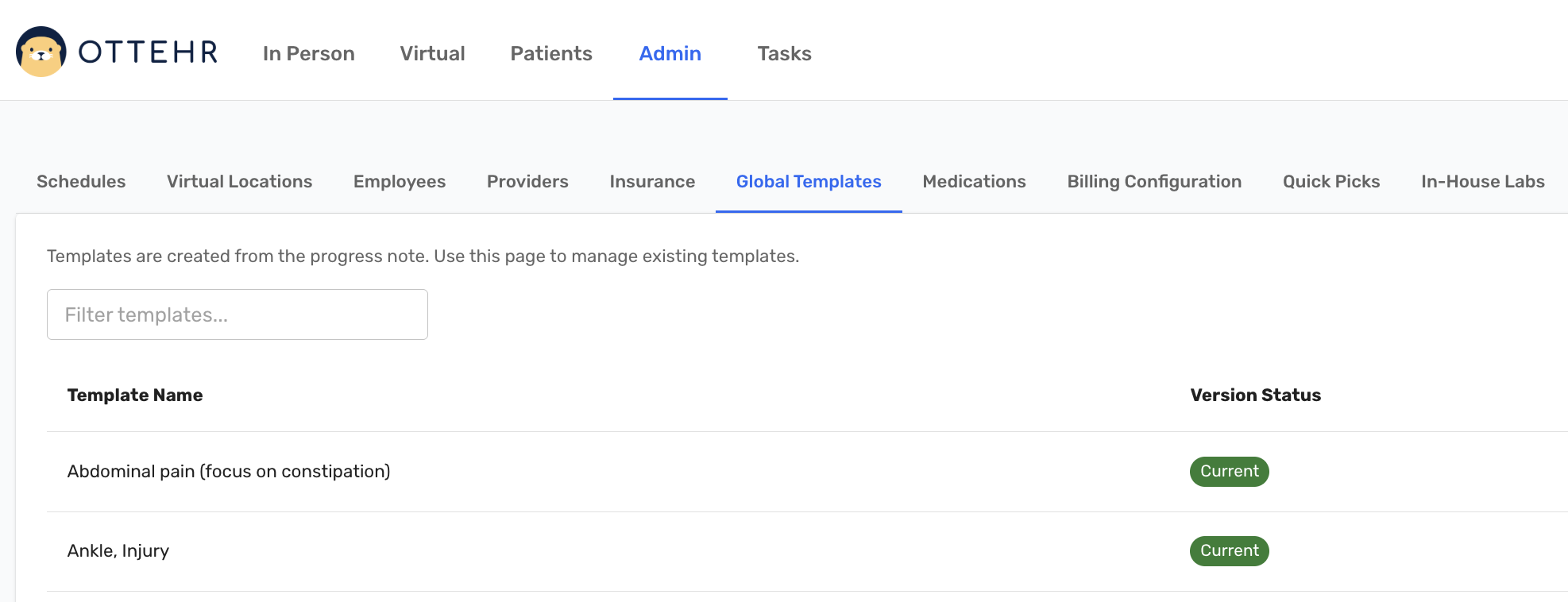
For editing and adding Global Templates, go to the HPI/MOI & Templates tab, then configure the chart as desired, then select 'Add or Update Template From Note'.
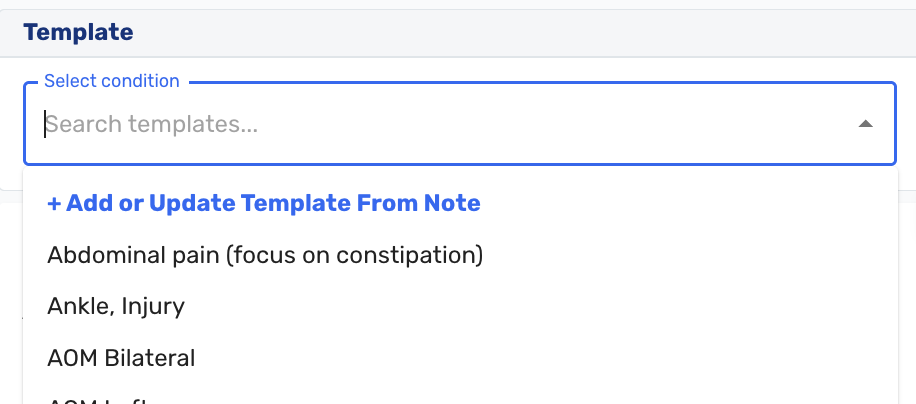
- Global templates can now include a pre-set Reason for Visit in the Chief Complaint section, ensuring the field is populated when a template is applied (#6765 (opens in a new tab)).
Insurance Administration
- Added bulk select and bulk activate/deactivate functionality to the Insurance admin screen. Staff can now select all payers across all pages and activate or deactivate them in a single action, replacing the previous page-by-page approach (#4704 (opens in a new tab)).
Patient Portal
- Added a configurable option to control whether progress notes are automatically sent to the patient portal when a visit is signed. Discharge summaries are always sent regardless of this setting (#6731 (opens in a new tab)).
Clinical Documentation and Workflow
AI-Assisted Charting
- Providers can now accept Oystehr AI suggestions directly into the progress note with a single click. Text suggestions for HPI and MOI can be appended to the relevant fields, and structured suggestions for allergies, medications, diagnoses, and CPT codes can be added to the chart without manual re-entry (#6441 (opens in a new tab)).
- Improved the layout and accuracy of Oystehr AI suggestions on the Assessment page. Diagnosis and CPT code suggestions are now presented more clearly, with smarter recommendations that better account for the broader clinical context of the visit (#6759 (opens in a new tab)).
- Resolved an issue where the Oystehr AI-generated HPI completeness alert was incorrectly firing on HPIs that were already complete.
Medication Reconciliation
- The Medications tab in the progress note now displays the patient's external prescription fill history retrieved from SureScripts alongside the provider's charted medications. Providers can add any external medication to the chart with a single click, and medications already charted are automatically filtered from the suggestions (#5232 (opens in a new tab)).
Radiology
- Added quick picks for radiology orders, allowing staff to save and reuse common order configurations for faster ordering. A dedicated study name field has also been added to the radiology order screen (#6673 (opens in a new tab)).
Disposition
- Added an Against Medical Advice (AMA) refusal checkbox to the ED Transfer tab in the Plan/Disposition section, enabling providers to document when a patient refuses recommended emergency transport.
In-House Lab Orders
- Made the sample source field optional during in-house lab order collection, removing a required field that was not applicable to all test types.
Tracking Board and Visit Details
- Redesigned each visit row on the Tracking Board to display visit type (In Person/Virtual), service category, location, booking type (Scheduled/On Demand), check-in time, and wait time in the current status to provide staff with a more complete at-a-glance view of each visit (#6677 (opens in a new tab)).
- Renamed the "In Office" tab to "Active" and replaced the Group filter with a Service Category filter, making it easier to focus the board by visit type (#6650 (opens in a new tab)).
- Updated the Visit Details page to display visit type and service category for both in-person and virtual visits, creating a consistent experience across care modes (#6786 (opens in a new tab)).
eRx
- When a provider has pending notifications in the eRx system, a task is now automatically created on the task board with the provider's name, ensuring eRx alerts are visible alongside other clinical tasks and are not missed (#5525 (opens in a new tab)).
Staff and Workflow
- The task board now auto-refreshes every minute, consistent with the Tracking Board, so new tasks and alerts appear without requiring a manual page reload (#4764 (opens in a new tab)).
- When a chart is faxed from the EHR, the visit log now records the recipient fax number, timestamp, and the staff member who sent it (#4915 (opens in a new tab)).
- Added a "Have you been seen at this organization in the past 3 years?" question to the patient registration flow. The response is displayed on Visit Details and in the Screening Questions tab of the patient chart, and is used to help providers select the appropriate E&M code to distinguish between new and established patient billing levels. This also serves to inform Oystehr AI E&M code recommendations. Only appears for patients not yet registered in the system (#6553 (opens in a new tab)).
Documentation Interface
- Removed the "Intake Notes" field from the Chief Complaint & Intake Notes screen and renamed the screen title to "Chief Complaint," reducing redundancy and improving clarity (#5327 (opens in a new tab)).
Revenue Cycle Management (RCM) and Billing
Fee Schedules and Patient Responsibility
- Introduced a fee schedule management tool in the Admin panel, allowing billing administrators to configure CPT code rates, designate separate fee schedules for insurance-pay and self-pay patients, associate payers with specific fee schedules, and upload or download rate lists as CSV files (#6604 (opens in a new tab)).
- Fee schedule-based rates are now displayed directly on the Visit Details page. As CPT codes are added to the assessment, the front desk can immediately see the estimated patient responsibility, including estimated copay, remaining deductible, and a recommendation to withhold collection if the patient may have already been overcharged (#6605 (opens in a new tab)).
- Added a Payment Locations configuration screen to the Admin panel, allowing administrators to review Stripe integration settings and configure card terminal readers by location (#6681 (opens in a new tab)).
- Resolved an intermittent firewall issue affecting clinics using physical card readers by moving the card terminal integration to a server-driven architecture, eliminating the requirement for a direct browser-to-terminal network connection (#6713 (opens in a new tab)).
Bug Fixes
- Fixed an issue where patients were not appearing in the Invoiceable Patients report.
- Fixed an issue where the credit card on-file indicator on the Visit Details page did not update after a card was added until the page was manually refreshed.
- Fixed an issue where Visit Details fields were not pre-filling when the Responsible Party was set to "Self."
- Fixed an issue where the back side of the insurance card was missing the "(optional)" label during patient paperwork.
- Fixed an issue where the visit time on patient statements was displayed in UTC rather than the clinic's local timezone.
- Fixed an issue where eRx task notifications displayed a placeholder instead of the provider's name.
- Fixed an issue where SMS notifications for eRx tasks were not being delivered to the phone number configured in the provider's settings.