Changelog v1.34 - May 21, 2026
Summary
Version 1.34 redesigned the tracking board visit status workflow around a single action button that advances each visit through its lifecycle from arrival to discharge.
It also introduced lab sets, a new admin feature for creating reusable panels of in-house and external lab tests.
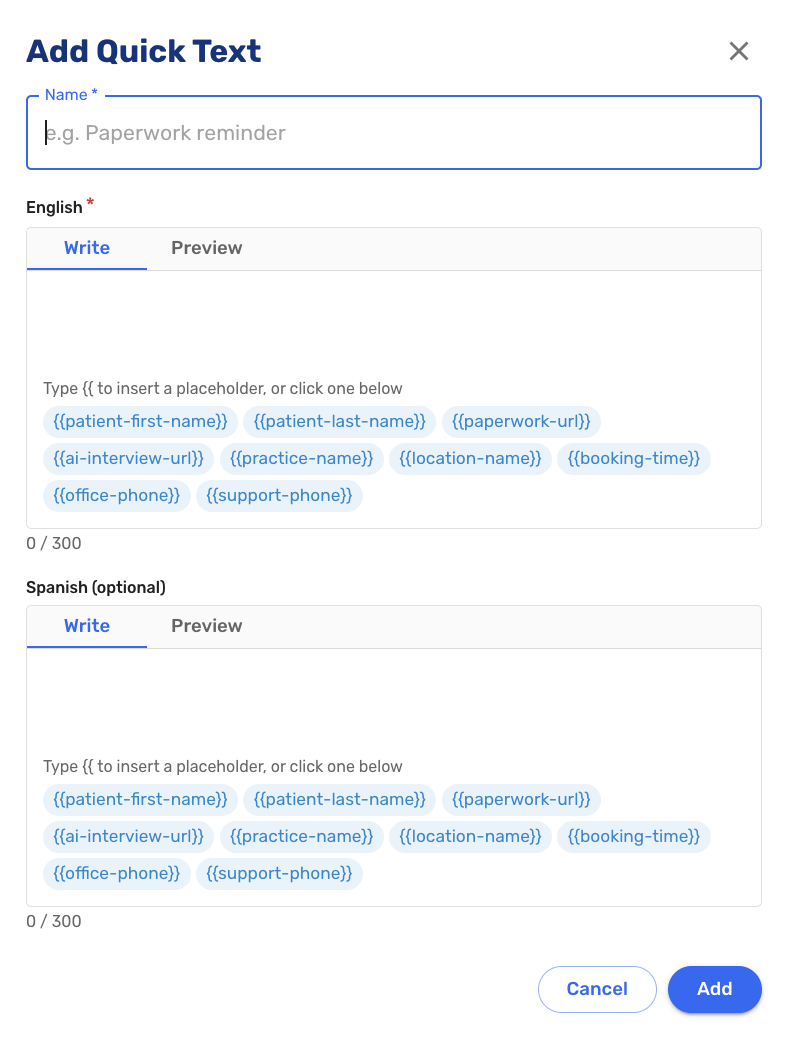
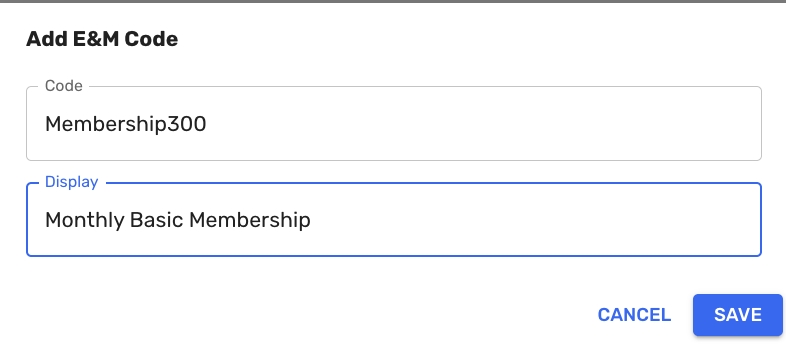
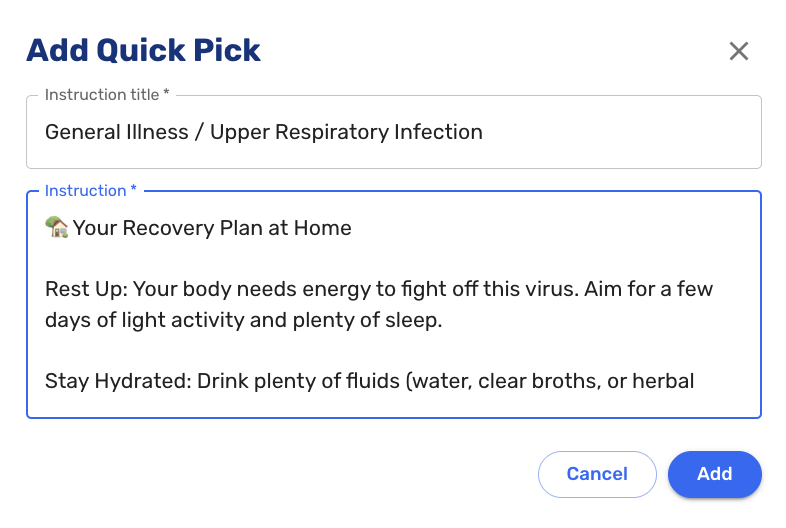
Several new self-service configuration options were added to the Admin panel, including configurable quick texts, E&M code lists, and per-practice care plan/patient instructions as quick picks.
Patient registration also also saw restoration of the patient condition photo screen in virtual paperwork.
Tracking Board
-
The visit status workflow was redesigned around a single context-aware action button. Rather than selecting a status from a dropdown, staff now click one button that advances the visit to the next appropriate state: Ready, Start Intake, Complete Intake, Start Provider, and Discharge. The button label updates automatically at each step. The visit status dropdown on the visit details screen was removed as part of this change (#4953 (opens in a new tab)).
-
The tracking board also received a visual clean-up. Order and visit component icons are now stacked across all tabs for a more compact, consistent layout (#7252 (opens in a new tab)).

Administration
-
Quick texts are now fully configurable in the Admin panel. Administrators can create, edit, and manage the library of pre-written messages available during a visit without requiring a code deployment (#6862 (opens in a new tab)).
-
The E&M code list in the E&M coding menu is now configurable per organization. Administrators can add, remove, or reorder codes to match the billing needs of their practice (#6995 (opens in a new tab)).
-
Per-practice care plan quick picks are now available in the Plan/Disposition section called "Practice Quick Picks", replacing organizational templates. Each practice can maintain its own standardized library of care plan entries that all providers can apply with a single click. Personal quick picks are now labeled "My Quick Picks" to distinguish them from practice-wide entries.
-
Staff can now create custom folders for organizing patient documents. Folder management is available in the Admin panel (#7159 (opens in a new tab)).
-
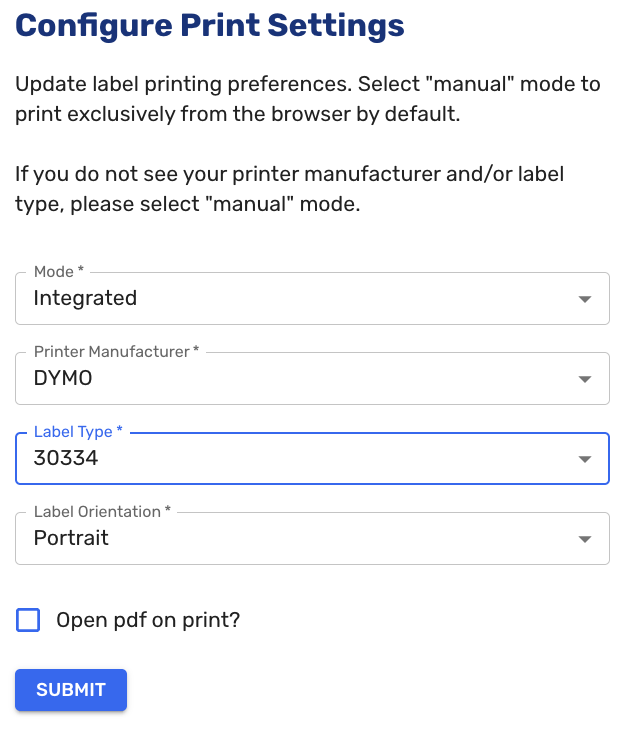
Administrators can now configure label printing paper type directly in the Admin panel without requiring a deployment. Practices using different label stock can update their configuration independently (#7375 (opens in a new tab)).
External Lab Orders
-
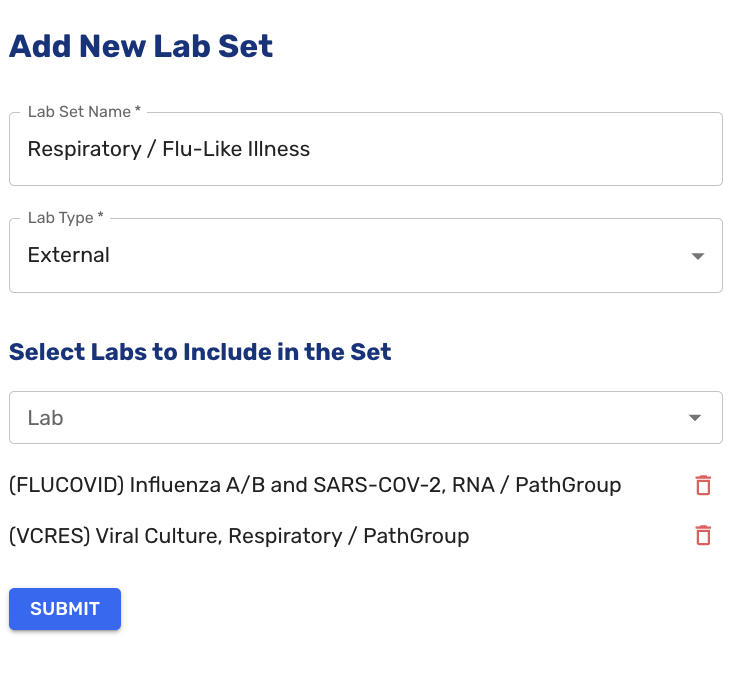
Lab sets are now available in the Admin panel. A lab set is a saved collection of in-house or external lab tests that can be ordered together as a group. Administrators can create, name, activate, and deactivate lab sets from a dedicated Lab Sets tab. Active sets appear as a selectable option on the lab ordering screen. Both in-house and external lab types are supported (#6812 (opens in a new tab), #6813 (opens in a new tab), #7450 (opens in a new tab)).
-
Ordering from a static compendium is now supported. Multiple labs sharing the same generic compendium entry can be ordered and submitted correctly, requisitions print as expected, and results display appropriately per configured lab (#7209 (opens in a new tab)).
-
The lab item code is now displayed on the ordering screen when selecting a test, on the lab detail page, in lab sets, in the progress note, and on the external lab order form (#7526 (opens in a new tab)).
Patient Registration and Intake
- The Patient Condition screen was restored to the virtual paperwork flow. Patients can once again upload condition photos during registration, and uploaded photos are stored in patient documents (#7078 (opens in a new tab)).
- Patient-submitted ID and insurance card images are now automatically downscaled before upload, improving reliability for patients on slow or mobile networks without affecting image legibility (#7223 (opens in a new tab)).
- The date of birth verification step was removed from the patient registration flow. The tracking board indicator for unconfirmed date of birth was also removed to avoid false flags on existing records (#6489 (opens in a new tab)).
Clinical Workflow
- Customer Support role users are no longer shown in the "Ordered By" dropdowns for in-house medications and immunizations (#4529 (opens in a new tab)).
RCM & Billing
- Auto-accident claims now include an auto-accident tag when submitted to the RCM system, ensuring correct claim classification for auto accident visits (#7299 (opens in a new tab)).
- A paper statements report is now available, showing all statements sent by mail. The report includes patient name, responsible party, date of visit, date of send request, and PostGrid mailing status (#7376 (opens in a new tab)).
Bug Fixes
- Fixed an issue where external lab orders could not be submitted with insurance, returning an "organizations for insurance were not found" error (#7557 (opens in a new tab)).
- Fixed an issue where eligibility checks were failing with an "Invalid payer name" error for certain insurers (#7634 (opens in a new tab)).
- Fixed an issue where ICD-10 diagnosis codes with X-padding were being returned as 8-character codes rather than the correct 7-character format, which could cause claim submission errors (#7238 (opens in a new tab)).
- Fixed an issue where clicking "Hospitalization confirmed & Complete Intake" was not advancing the visit status to Ready for Provider (#3499 (opens in a new tab)).
- Numerous other bug fixes (#3135 (opens in a new tab), #3499 (opens in a new tab), #4903 (opens in a new tab), #6621 (opens in a new tab), #6756 (opens in a new tab), #6905 (opens in a new tab), #7202 (opens in a new tab), #7243 (opens in a new tab), #7345 (opens in a new tab), #7379 (opens in a new tab), #7429 (opens in a new tab), #7443 (opens in a new tab), #7551 (opens in a new tab), #7558 (opens in a new tab), #7572 (opens in a new tab), #7579 (opens in a new tab), #7580 (opens in a new tab), #7581 (opens in a new tab), #7583 (opens in a new tab)).