Changelog v1.36 - June 18, 2026
Summary
- Group scheduling is now available, introducing a new scheduling architecture that allows clinics to define services with durations (like Behavioral Health Evaluation or Physical Therapy), assign providers to location-scoped schedules, and pool providers into groups with shared booking links.
- The tracking board gained the ability to assign intake staff and providers directly from the visit row, and a new Review & Sign button speeds up the end-of-visit charting step.
- Global templates were significantly expanded: procedures and in-house lab orders can now be included in templates, and template application is noticeably faster.
- Radiology providers can now write and save a final report directly in Ottehr.
- The human-friendly patient ID introduced in v1.32 now appears throughout the application, including in-house lab and visit labels, external lab orders, visit details, the progress note, and the discharge summary.
- Height is now displayed as feet and inches throughout the application, replacing the previous decimal feet format.
- Discharge summaries and visit note PDFs now include the patient's upcoming scheduled appointments.
- The default text for MDM and Disposition fields in the progress note is now configurable per organization in Admin.
Group Scheduling
Overview
- Clinics can now define a services catalog, assign providers to location-specific schedules, and pool those schedules into groups with shared booking entry points. This is a Version 1 Preview release of a substantial rework of the scheduling architecture (#7961 (opens in a new tab)).
For Administrators
-
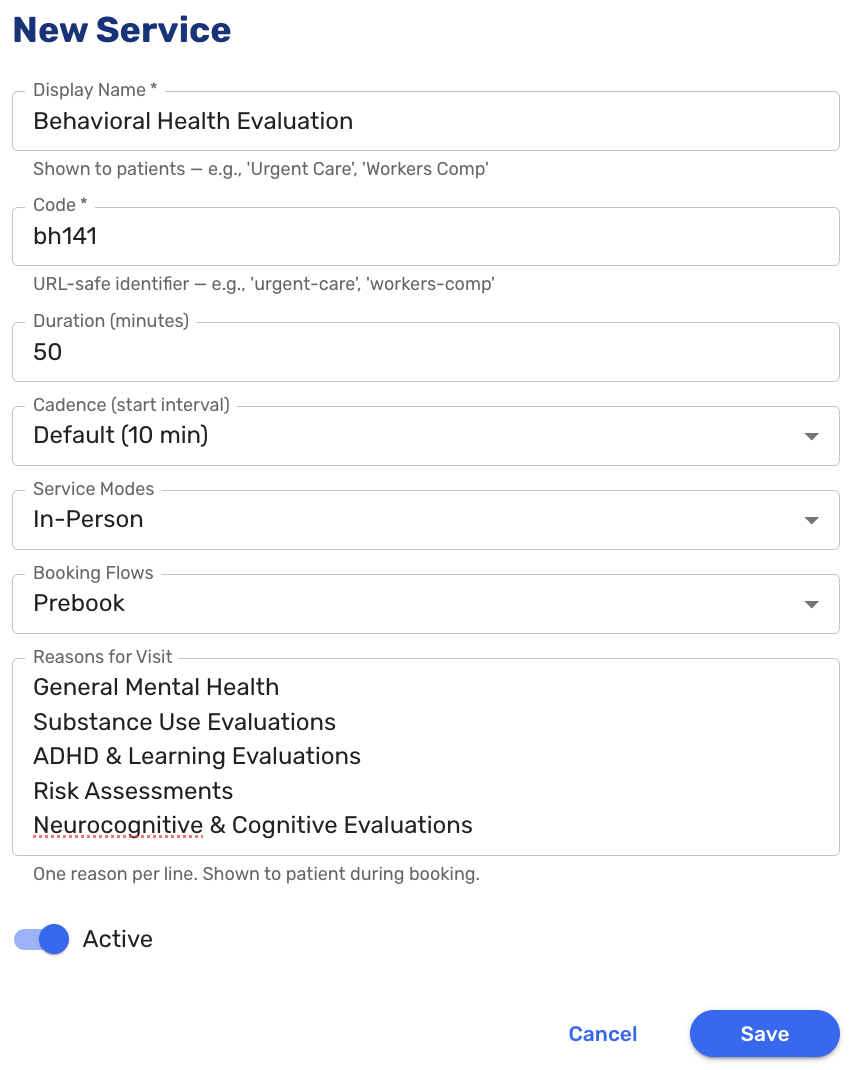
Administrators can now create and manage services in a catalog, each with a name, duration, cadence, service mode (in-person or virtual), and booking flow (prebook or walk-in). System-managed services like Urgent Care appear in the same list as read-only entries.
-
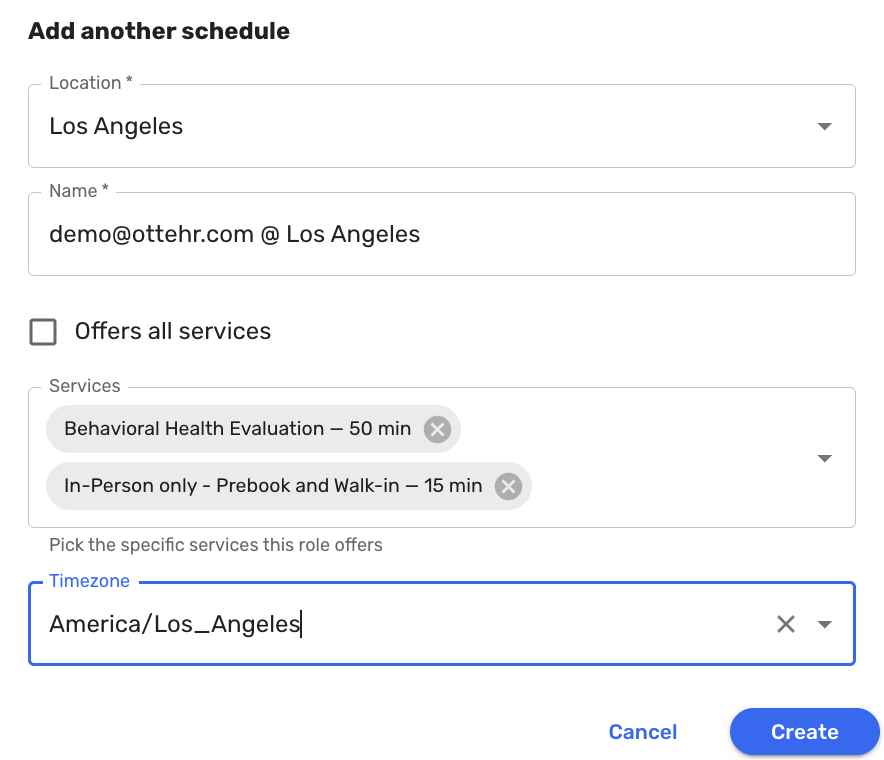
Providers can be assigned to schedules, each scoped to a specific location and set of services. A provider working across multiple locations, or offering different services at different times, is modeled as separate schedules.
-
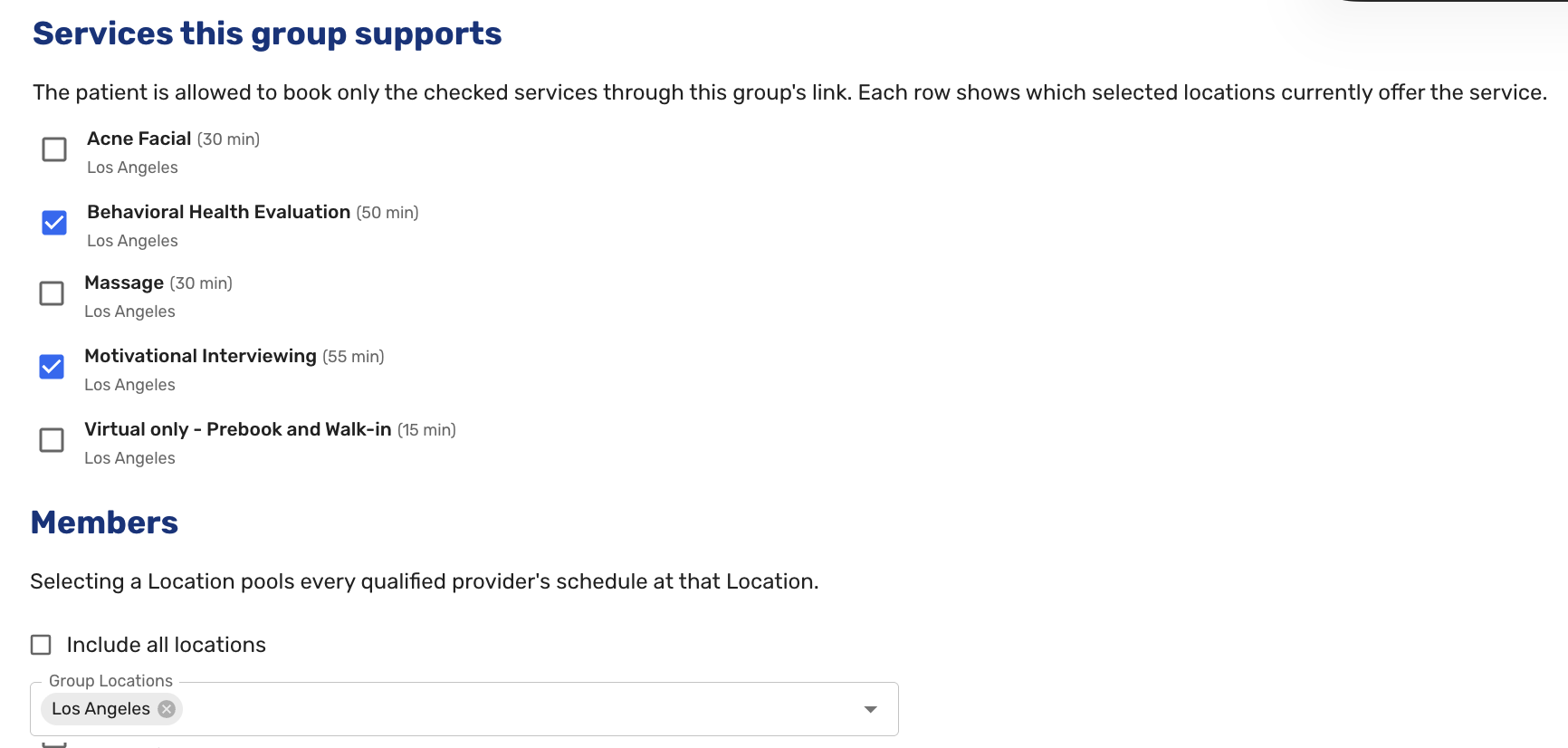
Groups pool multiple providers' schedules into a single booking entry point. In this initial release, groups operate in anonymous mode: the system selects an available provider and the patient never sees individual names. Patient-visible provider selection will be available in a future release. Booking links are generated per location, service, and mode combination.
For Patients
- Patients booking through a group link are routed to available slots across all qualified providers without seeing individual provider names. Single-location groups skip the location picker and go directly to slot selection. Multi-location groups present a location picker with a working back button to return and choose a different location.
In the EHR
- Staff can assign an attending provider and intake staff from the visit header after booking. For group-booked visits, the provider dropdown defaults to showing only the group's roster, with a toggle to remove the filter if needed.
Tracking Board
-
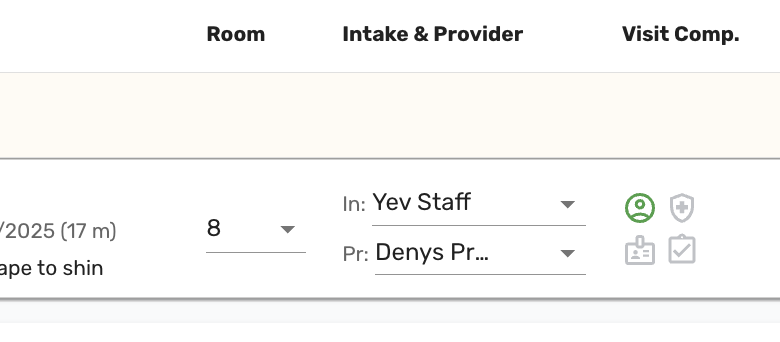
Intake staff and the attending provider can now be assigned directly from the tracking board visit row, without opening the visit details screen (#3731 (opens in a new tab)).
-
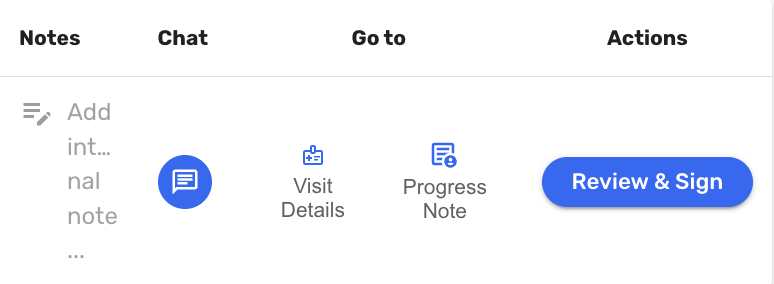
A Review & Sign button was added to the tracking board visit row, giving providers a direct path to the chart review step without navigating to the progress note first (#7631 (opens in a new tab)).
-
Provider notifications are now sent regardless of the provider's current availability status, and notifications are no longer suppressed when a provider is already assigned to an appointment. This ensures providers receive visit and patient arrival alerts consistently (#7638 (opens in a new tab), #7639 (opens in a new tab)).
Global Templates
- Procedures can now be added to global templates, including associated CPT codes and procedure-level diagnoses. When the template is applied, the procedure entries are added to the chart alongside any other templated content (#6697 (opens in a new tab)).
- In-house lab orders can now be included in global templates. Applying a template with lab orders adds all included orders in a single action. The section supports append only. Existing in-flight orders are never overwritten. When a saved lab's definition is no longer active in the catalog, the order is skipped and the provider is notified (#7676 (opens in a new tab)).
- The global template admin view now groups exam fields by section, making it easier to navigate and configure templates with exam content (#7790 (opens in a new tab)).
- Applying a global template is noticeably faster (#8062 (opens in a new tab)).
Radiology
- Providers can now write and save a preliminary or final radiology report directly in Ottehr. The report is accessible from the radiology order and is included in the patient record (#6301 (opens in a new tab)).
Human-Friendly Patient ID
- The human-friendly patient ID introduced in v1.32 now appears in additional places throughout the application. It is shown on visit details, the progress note, and the discharge summary (#7104 (opens in a new tab)), printed on in-house lab and visit labels (#6357 (opens in a new tab)), and included in the external lab orders ecosystem (#7689 (opens in a new tab)).
Vitals
- When displaying height in Imperial units, it is now displayed as feet and inches throughout the application, replacing the previous decimal feet format. For example, a height of 69 inches now displays as 5' 9" rather than 5.75'. The vitals screen now has separate fields for feet and inches when entering height. Fractional inches are rounded to the nearest half inch (#7566 (opens in a new tab)).
Discharge Summary and Visit Note PDFs
- The discharge summary and visit note PDFs now include a section listing all of the patient's upcoming scheduled appointments at the time the document is generated. Each appointment shows the date, time, location, and reason for follow-up. If no appointments are scheduled, the section displays a clear no upcoming appointments message. Scheduled follow-up visits now include a structured reason for follow-up field with a predefined list of options and a free text other field, replacing the previous reason for visit carried over from the original encounter (#7643 (opens in a new tab)).
Clinical Documentation
- Fluorescein stain results were added to the general exam module, appearing below the eye section as "Ocular Surface/Fluorescein Staining" with positive, negative, and notes fields.
- For auto accident visits, the Date of Accident and State fields now appear in the progress note red alerts section, making this information immediately visible when a provider opens the chart (#7277 (opens in a new tab)).
- The Specialty Transfer tab in the Disposition section now includes an "Other" option for transfers that do not fit a listed specialty (#7535 (opens in a new tab)).
- Quick picks added from within a visit now appear in alphabetical order in the menu (#7788 (opens in a new tab)).
In-House Medications
-
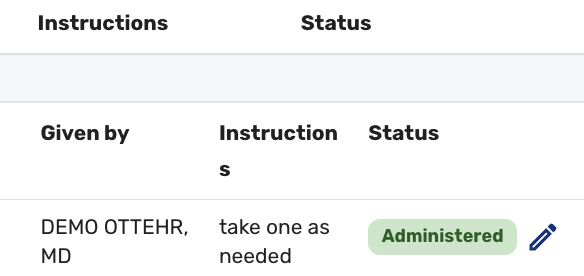
An edit icon is now shown on completed in-house medication orders, allowing staff to open and modify the order record after it has been marked as administered (#7221 (opens in a new tab)).
Administration
- The default text for the MDM (Medical Decision Making) and Disposition fields in the progress note is now configurable per organization in a new Progress Note tab in Admin. Organizations can set their standard language for these fields, which will pre-populate when a provider begins charting.
- The MDM field is also configurable as optional or required in the Admin -> Progress Note configurations. When set to optional, a missing MDM value no longer prevents a chart from being signed (#7613 (opens in a new tab)).
Bug Fixes
- Fixed an issue where the preferred pharmacy was being removed from a patient or visit record when any other section on the same screen was saved (#8194 (opens in a new tab)).
- Fixed an issue where schedule overrides were not saving correctly when the override hours overlapped with regular working hours, causing capacity settings to be partially ignored (#8187 (opens in a new tab)).
- Fixed an issue where not all service categories were appearing in the patient app in-person prebook flow (#8073 (opens in a new tab)).
- Fixed an issue where a patient's preferred name was not updating on the visit details screen after being changed during pre-paperwork, requiring a page refresh to see the correct value (#6798 (opens in a new tab)).
- Fixed an issue where the visit note PDF was failing to generate with a stack overflow error when a flagged lab result's name was long enough to wrap to the right margin (#8017 (opens in a new tab)).
- Numerous other bug fixes (#5504 (opens in a new tab), #6891 (opens in a new tab), #7055 (opens in a new tab), #7064 (opens in a new tab), #7534 (opens in a new tab), #7553 (opens in a new tab), #7744 (opens in a new tab), #7862 (opens in a new tab), #7874 (opens in a new tab), #7914 (opens in a new tab), #7954 (opens in a new tab), #7978 (opens in a new tab), #8041 (opens in a new tab), #8153 (opens in a new tab)).