Changelog v1.41 - August 26, 2026
Summary
- Practices can now bundle their custom forms into paperwork flows and assign them to specific services (like Urgent Care, Occupational Medicine, or Workers Compensation), so patients booking that service get exactly the right set of questions as a single seamless set of registration paperwork.
- Patient documents can now be attached to a specific visit rather than generally to the patient. A Visit Documents section was added to Visit Details, and a Documents tab was added to the progress note to associate documents to that encounter directly.
- Faxing expanded again: staff can now fax from the patient record, including a whole medical record or a single document, not just from an open encounter.
- Exam and Review of Systems each gained a Select All per section and a Clear button, cutting a large number of clicks out of routine charting.
- Administering an IV infusion now automatically generates a nursing order to re-check vitals.
- Employees can now edit their own profile without needing administrator access.
Paperwork Flows
-
Building on the practice managed forms released in an older version of the form, practices can now assemble those forms into paperwork flows. A flow is an ordered bundle of forms tied to one or more services (Urgent Care, Workers Compensation, Occupational Medicine) and a visit modality (In-Person or Virtual) (#8517 (opens in a new tab)).
A new Paperwork Flows tab in Admin lists every flow with its forms, the services it applies to, and its visit modality. Creating a flow opens a modal where an administrator names it, picks in-person or virtual (or both), selects which forms to include, drags them into the order patients will see, and chooses which services the flow applies to. Available forms include any active practice managed form plus the three Ottehr managed questionnaires, which appear in the picker as In-Person Intake Paperwork, Virtual Intake Paperwork, and Consent Page, each marked as system managed.

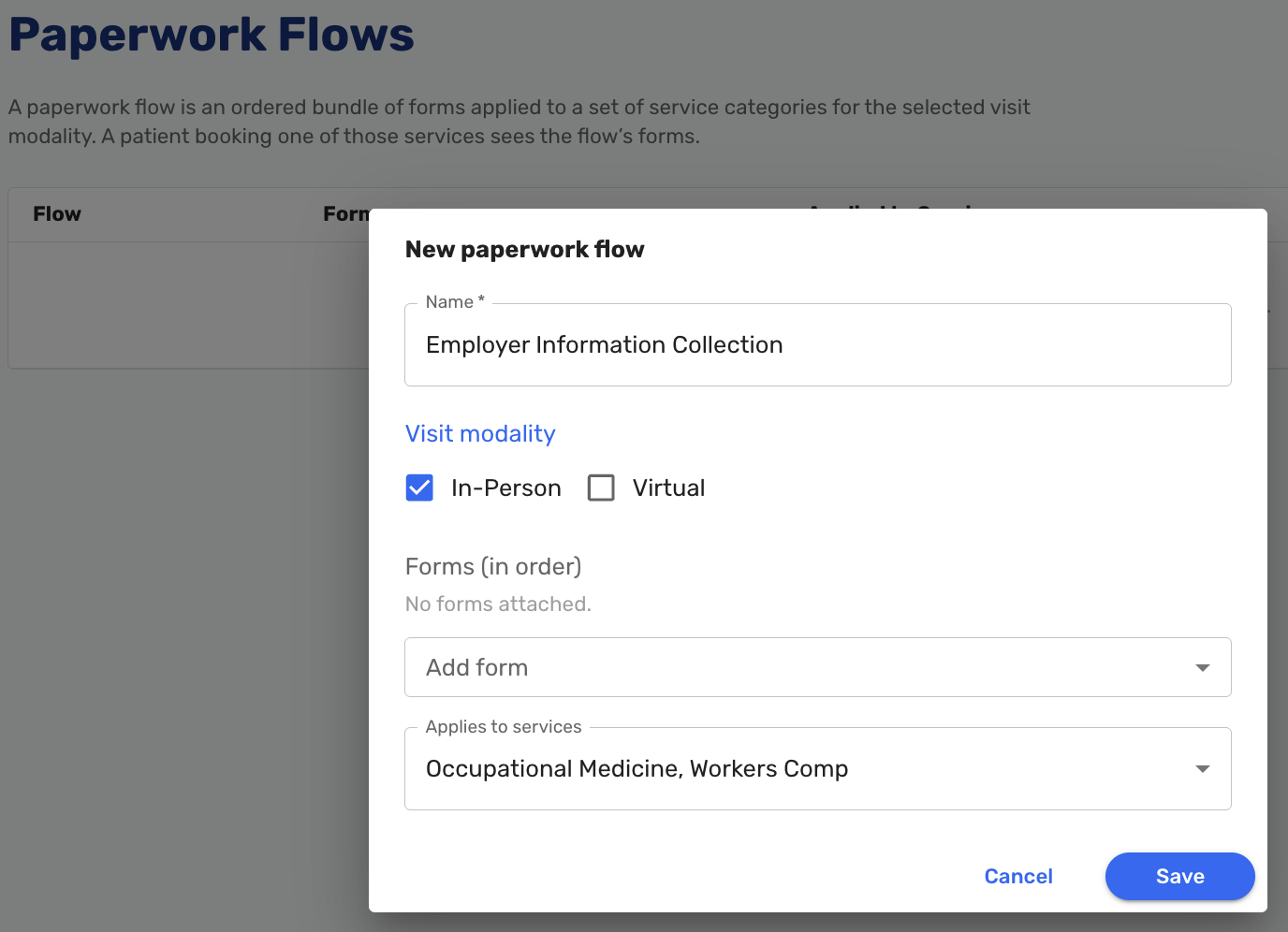
For the patient, the experience is a single questionnaire. The bundled forms appear as pages inside one registration flow in the exact order the practice defined, with no indication that several forms have been stitched together. Forms sent standalone are unaffected: a direct form link always resolves to just that form. Completed responses appear on the visit page alongside the standard consent status.
Attaching Documents to a Visit
-
Documents can now be associated directly to the visit they belong to, not just generally with the patient. This matters for referral forms, workers' compensation FROI forms, and any other client-specific paperwork that is meaningful only in the context of a particular encounter, and it is what allows those documents to be faxed alongside a progress note.
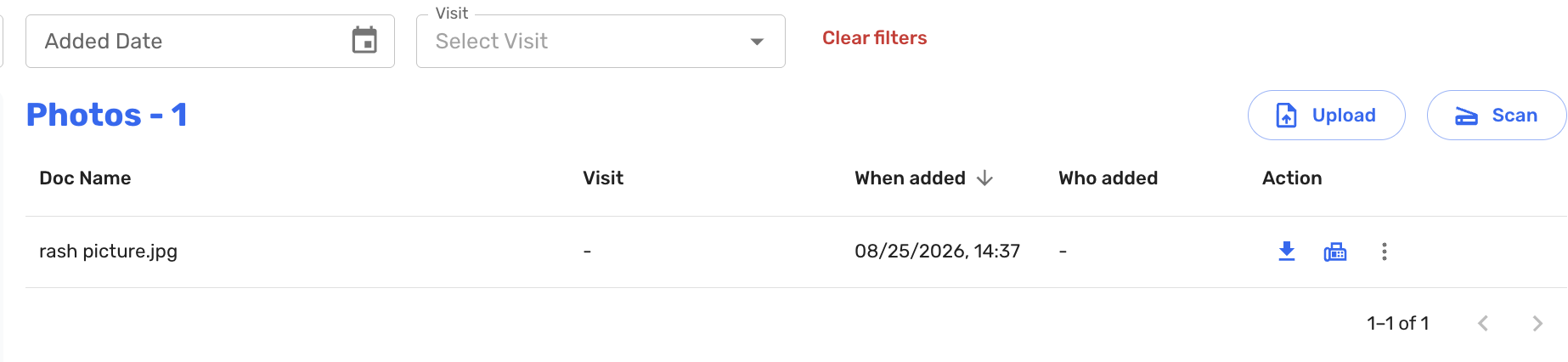
Three places changed. The patient documents table now has a Visit column showing the visit date, time, and ID, plus a Visit filter that narrows every folder at once and updates the document counts.

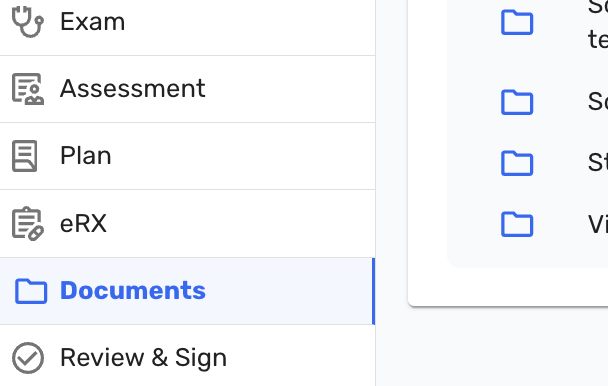
The progress note has a new Documents tab in the left-side menu showing the same document view filtered to that visit, and anything uploaded from there is automatically associated with it. Visit Details gained a Visit Documents section at the bottom that behaves the same way.
Note that documents uploaded before this release will not have a visit associated with them.
Faxing from the Patient Record
-
Outbound faxing now extends beyond the open encounter. Three new paths are available from the patient record (#8732 (opens in a new tab)).
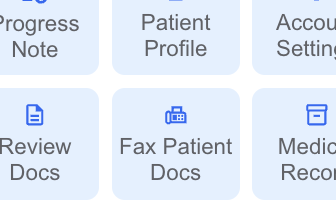
A Fax Patient Docs button on the patient record opens a dialog similar to the one used when faxing from a progress note, with the addition of a visit list when the patient has more than one visit. Each visit included gets its own cover page.
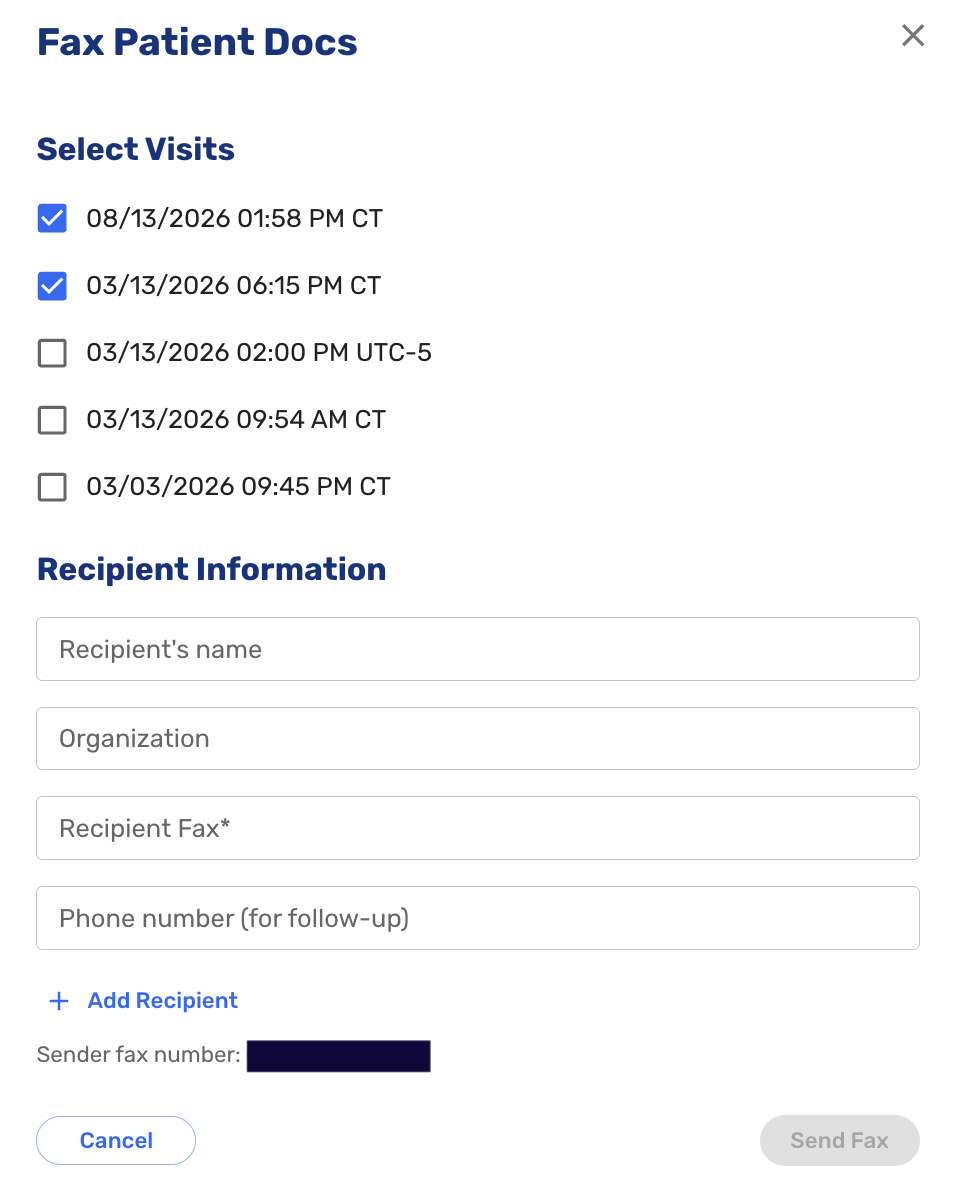
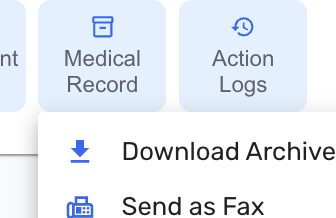
Selecting Medical Record no longer downloads a zip archive automatically. Instead it offers two choices: download the archive, or send as a fax. Choosing fax opens the recipient dialog and generates a medical record cover sheet.
Individual documents in the patient documents table now have a fax icon on each row. This is a single-document action, so faxing several documents means sending each one separately, each with its own cover sheet.
Exam and Review of Systems
-
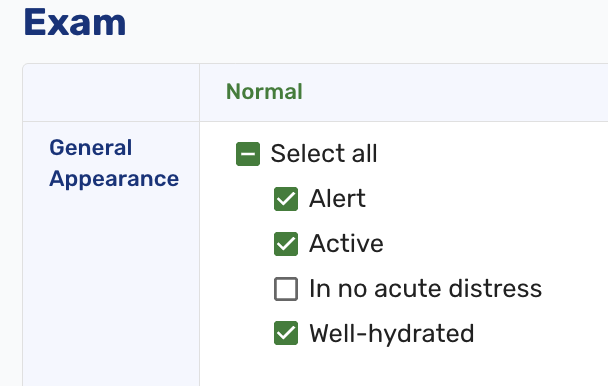
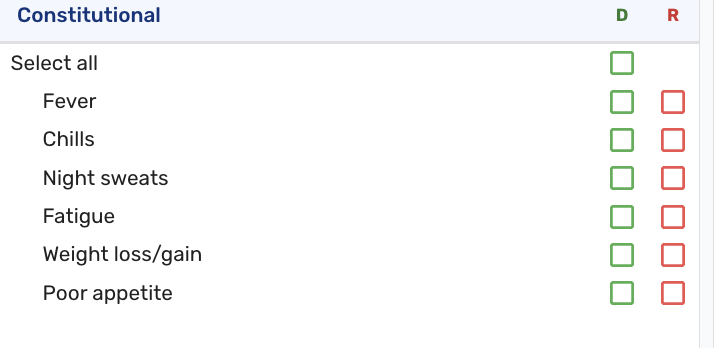
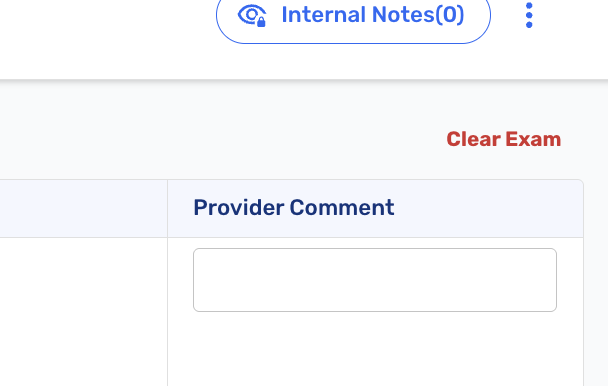
Both the Exam and ROS modules gained bulk controls. Every Normal section in the Exam now has a Select all checkbox, and every ROS section has a Select all checkbox on the green Denies column. Each module also has a Clear button inline with its title, which asks for confirmation before wiping the section. Nested items were given left padding so the hierarchy reads more clearly (#4372 (opens in a new tab)).
Vital Re-Check After IV Administration
- IV Infusion was added to the route menu on in-house medication orders, directly after Intravenous route. Previously the menu offered only "Intravenous route" with no way to distinguish a push from a continuous infusion (#8757 (opens in a new tab)).
- When a medication with the IV Infusion route is marked Administered, Ottehr now automatically generates a nursing order reading "IV med administered. Go to Vitals and re-check /record temp, RR, HR, BP and SpO2." The order appears on the tracking board like any other nursing order. This puts the re-check on the board rather than relying on staff to remember it (#8170 (opens in a new tab)).
My Profile
-
Employees can now maintain their own record without administrator access. Previously an administrator had to update information for every employee, or grant admin rights so someone could edit their own details. This is especially useful for new Providers to add the required information for an eRx enrollment (#7203 (opens in a new tab)).
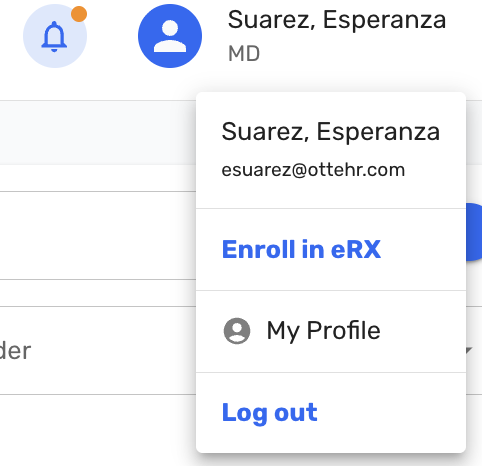
The Settings dropdown was renamed My Profile and split into two tabs: My Profile, which holds employee information that the employee can edit directly, and Notification Settings, which is where notification preferences now live. The employee information form was also reorganized, combining several fields onto shared lines.
-
The corresponding Admin screens were reorganized to match. The redundant Providers tab has been removed (#8641 (opens in a new tab)).
Radiology
- Preliminary radiology reads can now be edited and deleted to correct mistakes. An edit icon on the Preliminary read line makes the field editable, and clicking the checkmark saves it. Providers who are both the ordering and resulting provider can also edit the final read. Once an order has been marked as reviewed, no further editing is allowed (#8831 (opens in a new tab)).
Tracking Board
- The Progress Note button is now available for visits in every status, including Pending, Arrived, and Ready. This will allow Staff to review clinical information a patient submitted ahead of time, such as responses from the AI chatbot, before the visit begins (#7763 (opens in a new tab)).
Locations
- Locations are now fully self-service. Every field on a location can be configured in Admin, and locations no longer need to be specified at build and deploy time (#8611 (opens in a new tab)).
Visit Details
-
To prevent staff added patients from getting to the examination without signing consent forms, the "I verify that patient consent has been obtained" checkbox must now be checked before Visit Details can be saved. This applies both to the main Save button at the bottom of the page and to the Save button on the Completed Consent Forms block (#8793 (opens in a new tab)).
-
Employer notes entered under Billing Configurations then Employers now appear read-only in the employer details on Visit Details, so staff do not have to leave the visit to check them. This is useful to allow Practices to remind staff of procedures specific for each Employer on the Visit Details page (#8111 (opens in a new tab)).
External Lab Orders
- Employees with Staff role can now print an external lab order when the chart is locked. Previously this was limited to providers and administrators, which meant staff could not print an order after the chart was signed (#8703 (opens in a new tab)).
- External lab tests ordered as 'client bill' now add their CPT codes to the assessment automatically. Not every lab test has a CPT code available, so when one is missing a warning banner appears on the Assessment page indicating that staff may need to add a code manually. Codes are added correctly whether the lab is ordered directly, through a lab set, or through a global template (#9032 (opens in a new tab)).
AI Report Builder
- The report builder introduced in v1.40 received several improvements. Vaccine Information Statement (VIS) and consent fields were added to the available dataset, a warning now appears when a request references a field that does not exist in the dataset, and a dataset info table is displayed on screen so users can see what data a report is drawing on (#9075 (opens in a new tab)).
Roles and Permissions
Two updates to the Clinician role introduced in v1.40:
- Fixed a bug where users with the Clinician role could sign visit notes. The Sign button is greyed out with the message "You don't have permission to sign this note. Signing is limited to provider-level roles" (#9151 (opens in a new tab)).
- Clinician and Staff users without an NPI can now order radiology studies and external labs. These orders were incorrectly blocked with a "You need an NPI" error (#9143 (opens in a new tab)).
Tasks
- To improve efficiency when viewing Tasks, the clinical tasks list now defaults to showing Pending and In Progress tasks rather than all tasks, and the Status filter is now multi-select (#4804 (opens in a new tab)).
- Providers can now enable a Fax notification in their settings. With it on, an in-app bell notification appears when an inbound fax arrives, reading "Inbound fax received from [sender] ([n] pages)," and clicking it opens the fax matching page directly. This completes the notification piece that was deferred from the inbound fax release in v1.40 (#9145 (opens in a new tab)).
Fax Configuration
- The practice's own fax number is now visible in the EHR. It appears as the sender number in the Send Fax dialog on the progress note, patient information, and patient docs screens. In Admin under Activity Logs then Fax Logs, a Sender Fax column was added and the existing Fax number column was renamed Recipient Fax. Previously the only way to discover the practice's fax number was to send a test fax and read it off the receiving end (#9132 (opens in a new tab)).
Bug Fixes
- Fixed an issue where the annotation follow-up header displayed the weight from a previous encounter rather than the weight recorded on the encounter being followed up (#9210 (opens in a new tab)).
- Fixed an issue where a virtual visit recorded in silence produced a fabricated Oystehr AI transcript instead of no transcript (#9083 (opens in a new tab)).
- Fixed an issue where a CPT code with no fee schedule entry was omitted entirely from Payment Considerations rather than being listed without a price (#8939 (opens in a new tab)).
- Fixed an issue where sending an invoice generated two identical statement PDFs in the patient's documents (#8796 (opens in a new tab)).
- Fixed an issue where a location set to Inactive remained selectable in the EHR Add Visit dropdown and still accepted patient bookings through its public link (#9232 (opens in a new tab)).
- Fixed an issue where an external lab order form could not always be printed from the UI because the order submission timed out before the document was generated (#9233 (opens in a new tab)).
- Resolved timeouts affecting ambient scribe processing, and kept AI resource polling alive across browser tabs and successive recordings.
- Numerous other bug fixes, including a visit that could be signed without a provider assigned if the assigned user's role changed mid-visit (#9148 (opens in a new tab)), an external radiology icon appearing on the tracking board where it should not (#8804 (opens in a new tab)), and a duplicated patient age on the external radiology order PDF (#9010 (opens in a new tab)).