Ottehr Billing Changelog v1.45 - October 21, 2026
Summary
This release added manual ERA entry for remittances that arrive on paper or as PDFs, along with write-offs recorded directly on claims. Billers can now update many claims at once from the claims list. The release also included several smaller improvements and a set of fixes to balances and ERA details.
ERAs
-
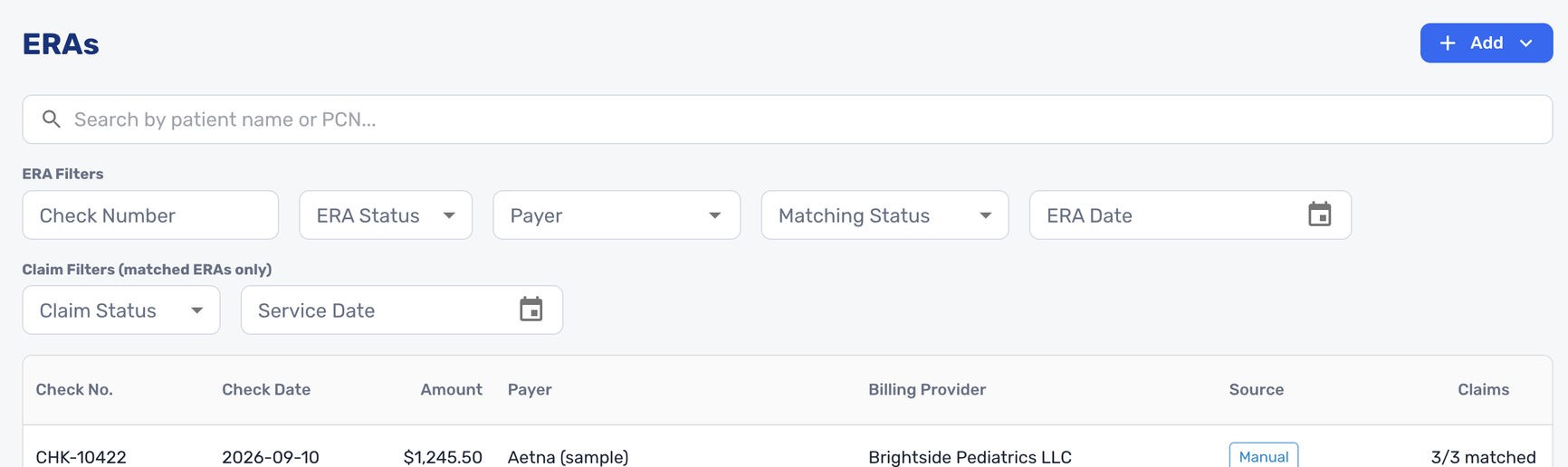
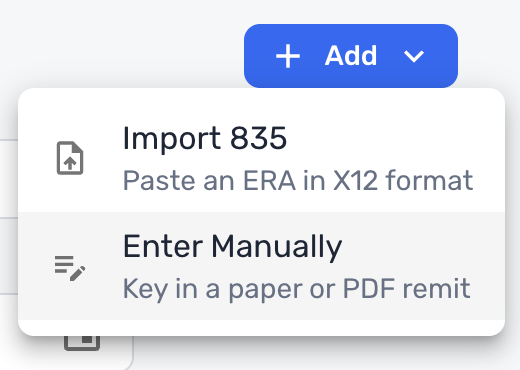
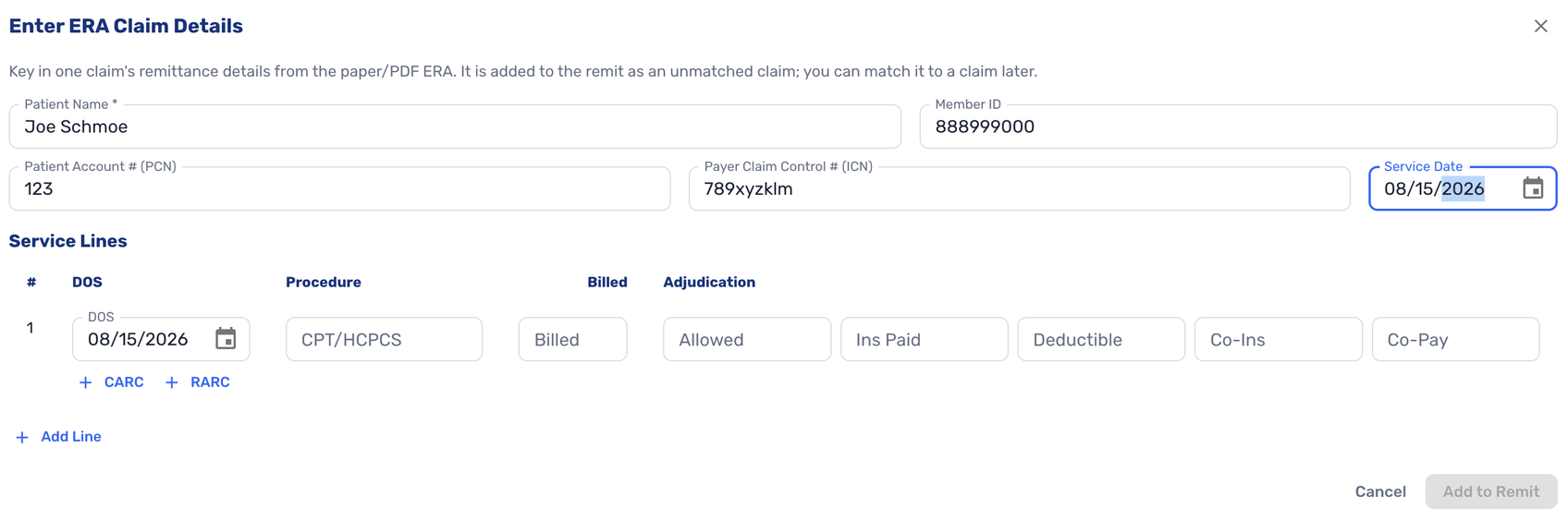
Billers can now enter an ERA manually when they don't have an electronic file (#8978 (opens in a new tab)).
ERAs 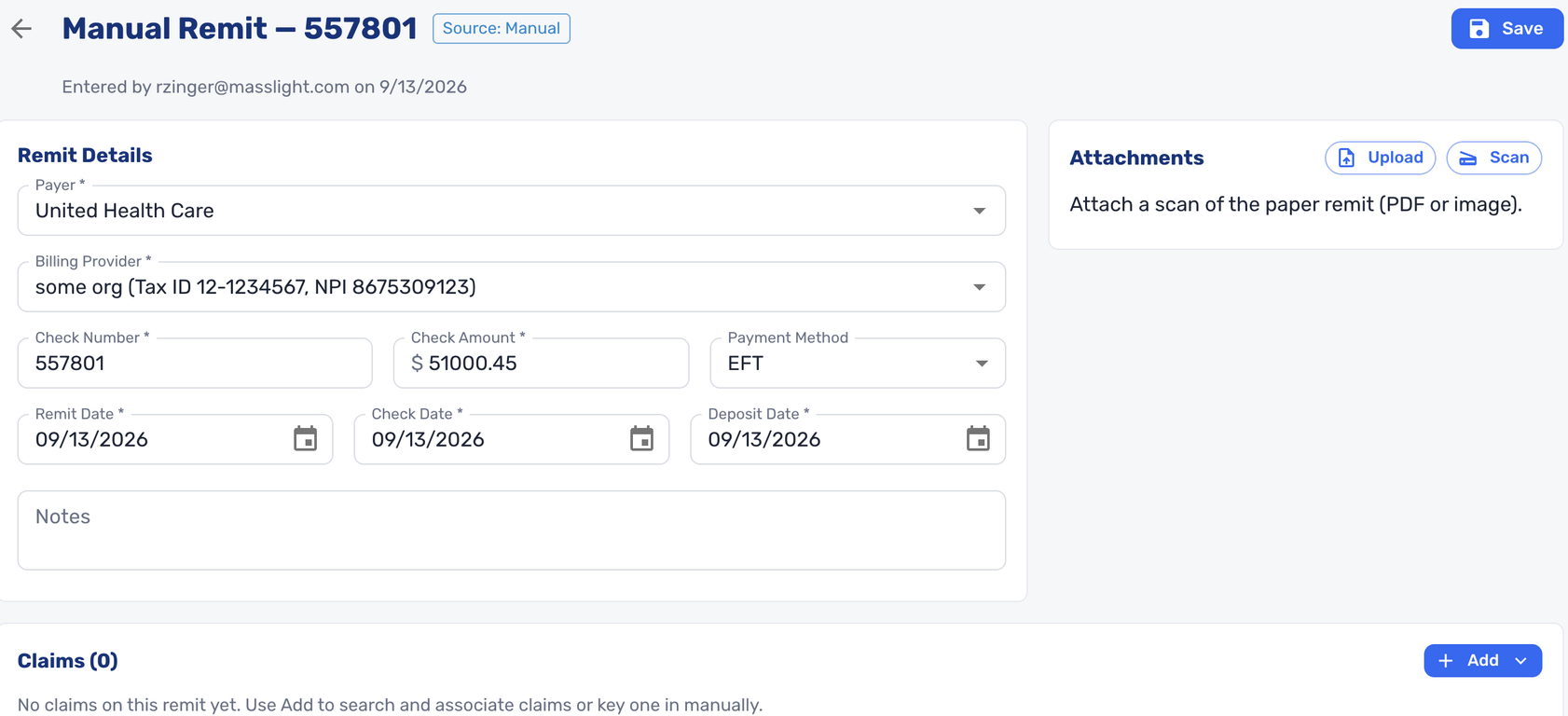
Remittances -
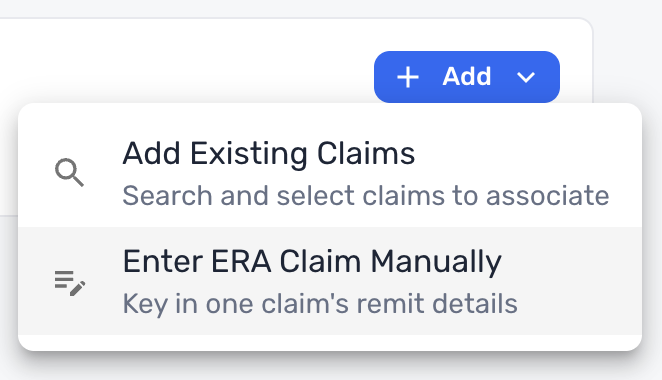
They enter the check details, then add claims by searching existing claims or entering claim details by hand.
Adding Claims -
Entering billed and allowed amounts generates the contractual adjustment (CO-45) automatically. Entering deductible, coinsurance, and copay amounts generates the matching patient responsibility adjustments (PR-1, PR-2, and PR-3).
-
Billers can edit, add, or remove adjustment and remark codes, chosen from complete CARC and RARC lists with descriptions.
-
A warning flags any line whose amounts don't add up, and a reconciliation section compares the claim totals with the check amount.
Importing ERAs
-
-
ERAs now show their source (manual entry, imported file, or clearinghouse) and the billing provider, both on the ERA list and on each ERA. Each ERA also records who posted it, and it supports notes and PDF attachments (#8978 (opens in a new tab)).
-
ERA details on each service line of a claim were made more compact and easier to scan (#9948 (opens in a new tab)).
Enter ERA Claim Details -
The ERA Status filter and Status column were removed from the ERA list, since every ERA carried the same status (#9861 (opens in a new tab)).
Claims
- Billers can now record write-offs on a claim from the Patient Payments & Write-offs tab (#9886 (opens in a new tab)).
- Each write-off records an amount, the party it applies to (patient, insurance, or non-insurance organization), a reason, a date, and an optional note.
- The reasons available depend on the party, with separate lists for patient write-offs (such as bad debt, charity, or small balance) and for insurance or organization write-offs (such as timely filing, not medically necessary, or contractual adjustment).
- The dialog shows how the write-off is spread across the claim's service lines.
- A write-off reduces the claim's total balance. Write-offs can be voided later, and a voided write-off no longer counts toward the balance.
- Billers can now select multiple claims in the claims list and update them together. Available actions are adding or removing tags, updating status, and setting the rendering provider, billing provider, or service facility (#9313 (opens in a new tab)).
- The state for an auto accident is now chosen from a searchable list rather than typed (#9908 (opens in a new tab)).
Claim Creation Queue
- Billers can now cancel a pending claim creation. Canceled entries stay visible in the queue and can be filtered by status (#9753 (opens in a new tab)).
Insurance Organizations
- Billers can now open any clearinghouse payer to see its details: the payer ID, alternate names and payer IDs, and mailing address. The payer on a claim links directly to its details page (#7129 (opens in a new tab)).
Providers
- License information on individual rendering providers is now optional (#9929 (opens in a new tab)).
Charge Masters
- A charge master can now be set as the default for claims billed to non-insurance organizations, alongside the existing insurance and self-pay defaults (#9814 (opens in a new tab)).
Rules
- Custom payers can now be used in rule conditions and actions, the same way as clearinghouse payers (#9423 (opens in a new tab)).
Bug Fixes
- Claims created from encounters sometimes didn't include the patient's primary insurance (#9911 (opens in a new tab)).
- Claim balances were incorrect when a secondary payer's ERA reported payment only at the claim level, rather than per service line. Patient responsibility is now totaled correctly when more than one payer responds on a claim (#9924 (opens in a new tab)).
- Inline ERA details on a claim could show the wrong payer after an ERA was matched (#9885 (opens in a new tab)).
- Unmatched claims in an ERA showed the wrong date of service when the service took place on a single day (#9930 (opens in a new tab)).
- The Match ERA dialog no longer shows a date of birth for the ERA claim, since ERAs don't carry one (#9793 (opens in a new tab)).